
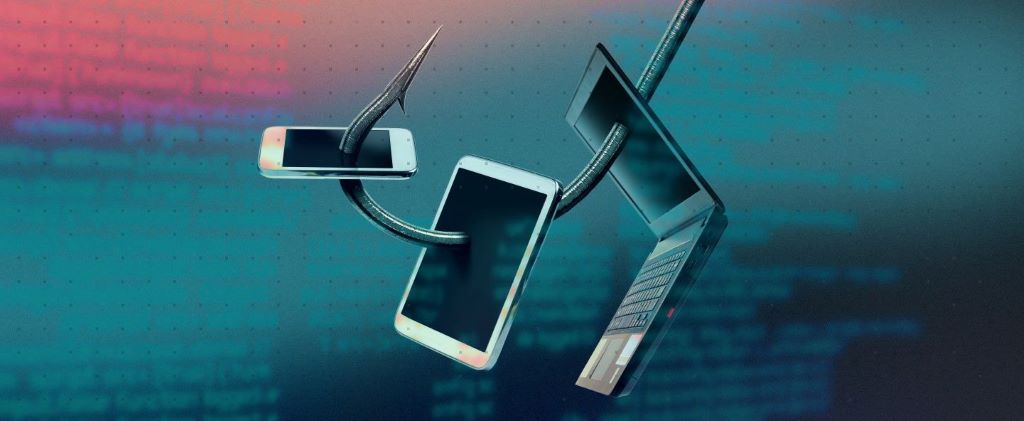
In a world increasingly reliant on digital communication, the phrase “online safety” often brings to mind complex cybersecurity software and strong passwords. While these are undoubtedly crucial, there’s a more insidious threat lurking in our inboxes and messages, one that preys on human psychology rather than technological vulnerabilities: phishing scams. Imagine a master angler, casting a deceptive bait into the digital waters, hoping to lure unsuspecting individuals into revealing their most sensitive information. This isn’t science fiction; it’s the daily reality of countless internet users. From seasoned professionals to casual browsers, anyone can become a target.
This comprehensive guide will equip you with the knowledge and tools to recognize, understand, and ultimately, sidestep these sophisticated online traps. We’ll delve into the deceptive world of phishing, unraveling its various forms, revealing the tell-tale signs of a scam, and empowering you with actionable strategies to safeguard your digital life. Are you ready to become a phishing prevention pro? Let’s dive in.
What Exactly is Phishing? The Digital Deception Explained
At its core, phishing is a form of cybercrime where attackers masquerade as trustworthy entities – think banks, popular social media platforms, government agencies, or even your colleagues – in an attempt to trick individuals into divulging confidential information. This could include usernames, passwords, credit card details, bank account numbers, social security numbers, or even personal identifiable information (PII) like your date of birth and address.
The “ph” in “phishing” is a nod to “fishing,” emphasizing the deceptive nature of the attack. Just as a fisherman uses bait to catch fish, phishers use alluring or urgent messages to “hook” their victims. The goal is always the same: to gain unauthorized access to your accounts or identity for fraudulent purposes, be it financial gain, identity theft, or even corporate espionage.
The Ever-Evolving Lures: Common Types of Phishing Attacks
Phishing isn’t a monolithic threat; it’s a diverse landscape of cunning tactics. Understanding the different types can significantly improve your ability to identify them:
-
Email Phishing (The Classic Lure):
This is the most prevalent form. You receive an email that appears legitimate, often with urgent warnings (“Your account has been suspended!”), enticing offers (“Claim your prize!”), or requests for verification. These emails typically contain malicious links that lead to fake websites designed to harvest your credentials.
-
Spear Phishing (Targeted Attack):
Unlike generic email phishing, spear phishing is highly targeted. Attackers conduct research on their victims, often using social media, to personalize the email or message. This makes the scam seem incredibly convincing, as it might reference specific details about your work, interests, or relationships. Imagine an email seemingly from your CEO asking you to urgently transfer funds.
-
Whaling (The Big Fish):
A specialized form of spear phishing, whaling targets high-profile individuals within an organization, such as executives, board members, or high-net-worth individuals. The stakes are higher, and the attacks are meticulously crafted to elicit significant financial or data breaches.
-
Smishing (SMS Phishing):
As the name suggests, smishing utilizes SMS messages (text messages) to deliver the malicious links or requests. These messages often mimic alerts from banks about suspicious transactions or delivery notifications with tracking links. The brevity of text messages can make it harder to spot red flags.
-
Vishing (Voice Phishing):
Vishing involves phone calls where the attacker impersonates a legitimate entity. They might use techniques like caller ID spoofing to display a trustworthy number. They’ll then attempt to extract sensitive information or coerce you into taking actions like installing malicious software. Think of calls claiming to be from tech support, your bank’s fraud department, or even law enforcement.
-
Pharmers (Poisoned DNS):
Less common but more insidious, pharming redirects users from legitimate websites to fake ones without them even clicking a malicious link. This is achieved by compromising a DNS (Domain Name System) server or by installing malware on the user’s computer that alters their local DNS settings.
-
Angler Phishing (Social Media Scams):
With the rise of social media, attackers now use platforms like Facebook, Instagram, and X (formerly Twitter) to impersonate customer service accounts or offer fake giveaways. They might send direct messages or post comments designed to lure users into clicking malicious links or divulging information.
The Red Flags: How to Spot a Phishing Attempt
While phishing tactics evolve, many attacks share common characteristics that, once recognized, can empower you to avoid them. Be a digital detective and look for these tell-tale signs:
-
Suspicious Sender Address:
Always scrutinize the sender’s email address. Phishers often use addresses that are slightly misspelled versions of legitimate ones (e.g., support@amaz0n.com instead of support@amazon.com) or completely unrelated domains. Even if the display name looks correct, the underlying email address is key.
-
Generic Greetings and Impersonal Language:
Legitimate organizations usually address you by name. Phishing emails often use generic greetings like “Dear Customer,” “Dear Valued User,” or even “Sir/Madam.” The language might also be overly formal or contain grammatical errors and awkward phrasing.
-
Urgent or Threatening Tone:
Phishers often create a sense of urgency or fear to pressure you into acting without thinking. Phrases like “Immediate action required,” “Your account will be suspended,” or “Verify your details now to avoid closure” are common.
-
Requests for Personal Information:
A legitimate organization will never ask for sensitive information like your password, full credit card number, or social security number via email or text message. Be extremely wary of any communication requesting such details.
-
Malicious Links and Attachments:
Hover your mouse cursor over any link without clicking to reveal the actual URL. If the URL doesn’t match the sender’s legitimate website, it’s likely a scam. Be very cautious about opening unexpected attachments, especially those with unusual file extensions (.exe, .zip, .js, etc.).
-
Grammar and Spelling Errors:
While not always present, numerous grammatical errors, typos, and awkward sentence structures are strong indicators of a phishing attempt. Legitimate companies employ proofreaders and strive for professional communication.
-
Offers That Are Too Good to Be True:
If an offer seems unbelievably generous – a massive lottery win you didn’t enter, a free luxury item, or a drastic discount – it’s almost certainly a scam. Apply common sense; if it sounds too good to be true, it probably is.
-
Inconsistent Branding and Design:
Look for discrepancies in logos, fonts, colors, and overall website design. Phishing sites often have slight variations from the legitimate brand’s visual identity.

Your Defensive Playbook: How to Avoid Phishing Traps
Knowing what to look for is half the battle. Here’s your actionable guide to fortifying your defenses against phishing attacks:
-
Think Before You Click (The Golden Rule):
This is the single most important piece of advice. Before clicking any link or opening any attachment, pause, examine the sender, and consider the context.
-
Verify the Sender Independently:
If you receive a suspicious email or message from a known organization, do not reply directly or click any links. Instead, navigate to the official website of the organization by typing its URL directly into your browser or by using a trusted bookmark. Then, log in to your account and check for any notifications or issues. You can also call the organization using a publicly listed phone number (not one provided in the suspicious message).
-
Use Strong, Unique Passwords and Two-Factor Authentication (2FA):
Even if a phisher gets your password, 2FA (also known as multi-factor authentication) acts as an additional layer of security, requiring a second verification method (like a code sent to your phone or a fingerprint scan) before granting access. Enable 2FA on all your critical accounts.
-
Keep Your Software Updated:
Regularly update your operating system, web browser, antivirus software, and other applications. These updates often include security patches that protect against known vulnerabilities exploited by phishers.
-
Install and Maintain Antivirus/Anti-Malware Software:
Reputable security software can help detect and block malicious websites and files associated with phishing.
-
Be Wary of Public Wi-Fi:
When using public Wi-Fi networks, avoid accessing sensitive accounts or performing financial transactions, as these networks can be less secure and vulnerable to eavesdropping.
-
Educate Yourself and Others:
Share your knowledge about phishing with family, friends, and colleagues. The more people who are aware of these threats, the safer the online environment becomes.
-
Report Phishing Attempts:
If you receive a phishing email, report it to your email provider (e.g., Gmail, Outlook) and delete it. You can also report it to government agencies like the Anti-Phishing Working Group (APWG) or the Federal Trade Commission (FTC) in the US.
-
Back Up Your Data:
Regularly back up your important files to an external hard drive or cloud storage. In the unfortunate event of a successful phishing attack that leads to malware infection or data loss, you’ll have a recovery point.
The Cost of Being Hooked: Real-World Consequences
Falling victim to a phishing scam can have severe and far-reaching consequences:
- Financial Loss: Direct theft of funds from bank accounts or credit cards.
- Identity Theft: Attackers using your personal information to open new accounts, take out loans, or commit other fraudulent activities in your name.
- Data Breach: Exposure of sensitive personal or corporate data, leading to privacy violations and reputational damage.
- Malware Infection: Clicking malicious links can lead to the download of viruses, ransomware, or spyware onto your device.
- Reputational Damage: For businesses, a successful phishing attack can erode customer trust and harm brand image.
Read More: Smartphone Data Roaming Cost Reduction Tips
Conclusion: Become a Phishing Prevention Champion
Phishing remains one of the most pervasive and effective cyber threats because it exploits human trust and urgency. However, by understanding the tactics used, recognizing the warning signs, and implementing a proactive defense strategy, you can significantly reduce your risk of becoming a victim. Remember, the internet is a powerful tool, but it requires a vigilant and informed user.
Don’t let cybercriminals cast their nets and reel you in. Take control of your online security today! Implement the strategies outlined in this guide, share this knowledge with those you care about, and become a champion for a safer digital world. Your proactive steps can make all the difference in safeguarding your sensitive information and maintaining your digital well-being.