
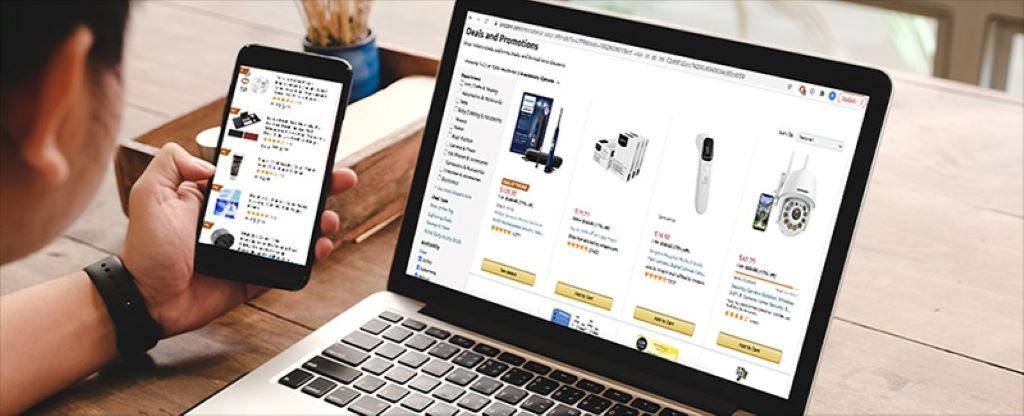
In today’s digital age, stumbling upon a fake website is like walking into a trap disguised as a treasure chest. With cybercriminals becoming savvier, these deceptive sites can steal your personal information, drain your bank account, or infect your device with malware in the blink of an eye. The good news? You can protect yourself by learning how to spot a fake website before it’s too late. This guide dives deep into practical, actionable tips to identify fraudulent websites, safeguard your data, and browse the internet with confidence.
Whether you’re shopping online, exploring new services, or clicking a tempting link, knowing the red flags of a scam website is crucial. By the end of this article, you’ll have a clear checklist to evaluate any site’s legitimacy and avoid falling victim to online scams. Let’s get started.
Why Fake Websites Are a Growing Threat
The internet is a double-edged sword. While it offers convenience, it also provides fertile ground for scammers to create fake websites that mimic legitimate ones. According to a 2023 report by the Anti-Phishing Working Group, phishing attacks, many of which rely on fraudulent websites, surged by 47% in the past year alone. These sites often impersonate trusted brands, banks, or e-commerce platforms to trick users into sharing sensitive information like passwords, credit card details, or Social Security numbers.
The stakes are high. A single misstep could lead to identity theft, financial loss, or compromised devices. That’s why understanding how to identify a fake website is not just a skill—it’s a necessity in 2025.
Key Signs of a Fake Website
Spotting a fraudulent website requires a keen eye and a bit of skepticism. Below are the most reliable indicators to help you determine whether a website is legitimate or a potential scam.
-
Check the URL Carefully
The website’s URL is often the first clue to its authenticity. Legitimate websites typically use secure, recognizable domain names. Here’s what to look for:
- HTTPS vs. HTTP: A secure website will have “HTTPS” in the URL, indicating it uses encryption to protect your data. However, HTTPS alone isn’t foolproof—scammers can obtain SSL certificates, too.
- Misspellings or Odd Domains: Fake websites often use URLs that mimic legitimate ones but include subtle misspellings (e.g., “amaz0n.com” instead of “amazon.com”) or unusual domain extensions like “.xyz” or “.top” instead of “.com” or “.org.”
- Subdomains or Extra Characters: Be wary of URLs with unnecessary subdomains (e.g., “login.amazon.fakewebsite.com”) or random strings of numbers and letters.
Pro Tip: Hover over links before clicking to reveal the true URL. If it looks suspicious, don’t proceed.
-
Evaluate the Website’s Design and Content
A website’s appearance can reveal a lot about its legitimacy. While scammers have improved their design skills, many fake websites still have telltale flaws:
- Poor Design Quality: Legitimate businesses invest in professional web design. If the site looks outdated, has broken images, or uses inconsistent fonts, it’s a red flag.
- Grammatical Errors: Typos, awkward phrasing, or poor grammar are common on scam websites. Trusted companies typically proofread their content carefully.
- Overly Aggressive Offers: If a website promises unbelievable deals (e.g., “80% off iPhones!”) or creates a sense of urgency (“Only 2 left! Buy now!”), it’s likely trying to manipulate you into acting impulsively.
-
Verify Contact Information and Business Details
Legitimate websites provide clear, verifiable contact information. If a site lacks this, it’s a warning sign. Here’s what to check:
- Contact Page: Look for a dedicated “Contact Us” page with a physical address, phone number, and email. Fake websites often omit this or provide generic email addresses (e.g., support123@gmail.com).
- About Us Page: A vague or missing “About Us” section is suspicious. Legitimate businesses share their story, mission, or team details.
- Social Media Presence: Check if the website links to active, verified social media accounts. Fake sites may have no social presence or accounts with minimal activity.
-
Look for Trust Signals
Trust signals are indicators that a website is reputable. These include:
- Customer Reviews: Legitimate websites often feature verified user reviews or testimonials. Be cautious if reviews seem overly generic or are hosted on the site itself without third-party verification.
- Trust Seals: Look for seals from trusted organizations like BBB (Better Business Bureau) or Norton Secured. However, verify these seals by clicking them—scammers sometimes use fake logos.
- Privacy Policy and Terms of Service: Reputable websites have clear, detailed policies. If these are missing or poorly written, proceed with caution.
-
Be Wary of Payment Methods
How a website handles payments can reveal its intentions. Red flags include:
- Unusual Payment Requests: If a site asks for payment via wire transfers, gift cards, or cryptocurrency, it’s likely a scam. Legitimate businesses offer secure payment methods like credit cards or PayPal.
- Lack of Secure Checkout: Ensure the checkout page uses HTTPS and displays a padlock icon. Avoid entering payment details if the page looks unsecure.
Pro Tip: Use a virtual credit card or a service like PayPal for added protection when shopping online.
-
Research the Domain’s History
A website’s domain age can indicate its legitimacy. New domains are more likely to be fraudulent, as scammers frequently create and abandon sites. Use tools like WHOIS to check:
- Domain Age: If the website was registered recently (e.g., within the last few months), be cautious.
- Registrar and Owner Information: Legitimate businesses typically provide transparent ownership details. Hidden or private registrations are a red flag.
-
Test the Website’s Functionality
Fake websites often prioritize appearance over functionality. Try these tests:
- Broken Links: Click on links like “Terms of Service” or “FAQ.” If they lead to error pages or unrelated content, the site may be fake.
- Search Bar: Use the site’s search function. If it doesn’t work or returns irrelevant results, it’s a sign of poor quality.
- Customer Support: Contact the provided email or phone number. If you get no response or an automated reply, it’s suspicious.
How to Protect Yourself from Fake Websites
Spotting a fake website is only half the battle. Here are proactive steps to stay safe online:
-
Use Reliable Security Tools
- Antivirus Software: Install reputable antivirus software with real-time web protection to block malicious sites.
- Browser Extensions: Tools like Web of Trust (WOT) or McAfee WebAdvisor can flag suspicious websites.
- VPNs: A Virtual Private Network (VPN) encrypts your connection, making it harder for scammers to intercept your data.
-
Double-Check Before Clicking Links
- Avoid Suspicious Emails: Phishing emails often lead to fake websites. Verify the sender’s email address and avoid clicking unsolicited links.
- Use Search Engines: Instead of clicking a link, search for the website directly on Google or Bing to find the legitimate URL.
-
Educate Yourself on Common Scams
Stay informed about the latest phishing and scam tactics. Websites like the Federal Trade Commission (FTC) or cybersecurity blogs provide up-to-date information on emerging threats.
-
Trust Your Instincts
If something feels off about a website—whether it’s the design, offers, or lack of information—trust your gut and leave. It’s better to be cautious than regretful.
What to Do If You’ve Visited a Fake Website
If you suspect you’ve interacted with a fraudulent website, act quickly:
- Disconnect from the Site: Close the browser tab immediately and avoid further interaction.
- Run a Security Scan: Use antivirus software to check for malware or unauthorized changes to your device.
- Change Passwords: If you entered login credentials, update your passwords for that account and any others using similar credentials.
- Monitor Your Accounts: Check your bank and credit card statements for unauthorized transactions. Report any issues to your bank immediately.
- Report the Website: Submit the fake website to organizations like Google Safe Browsing or the FTC to help protect others.
Conclusion: Stay Vigilant, Stay Safe
Fake websites are a growing menace, but with the right knowledge, you can navigate the internet safely. By checking URLs, evaluating design, verifying contact information, and using security tools, you’ll be well-equipped to spot scams before they cause harm. The key is to stay skeptical, do your research, and act quickly if something seems amiss.
Read More: Spotting Deepfake Dangers for Children: A Comprehensive Guide to Online Safety